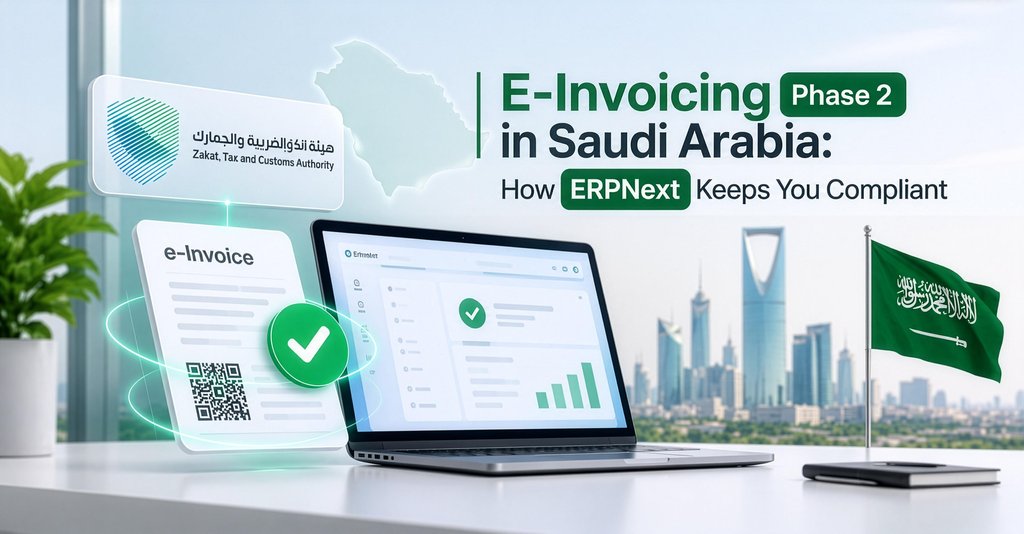
ZATCA E-Invoicing Phase 2 in Saudi Arabia: How ERPNext Keeps You Compliant
If your business in Saudi Arabia had more than SAR 187,500 in VAT-taxable revenue in any year from 2022 to 2025, the clock is ticking.
In July 2026, ZATCA announced Wave 25 of the e-invoicing Integration Phase (Phase 2). The revenue threshold was halved from the previous wave's SAR 375,000, which means thousands of small and mid-sized businesses are now in scope. The integration deadline is 1 February 2027.
That's less than three months away. For many SMEs, this is the first time e-invoicing is a hard legal deadline rather than "something for big companies".
This guide explains what Phase 2 actually requires, what happens if you miss it, and how ERPNext handles it.
What happens if you miss the deadline?
ZATCA's e-invoicing penalties range from warnings for first offences to fines that increase with repeat violations. Wave 24 businesses have faced penalties of SAR 5,000 to SAR 50,000 since 1 July 2026.
Beyond fines, the bigger risk is commercial. Larger customers increasingly reject invoices that haven't been cleared, so a non-compliant invoice can mean a delayed payment.
What your system needs to do in Phase 2
Whatever software you use, it must be able to:
- Generate invoices in UBL 2.1 XML, with all ZATCA-mandated fields (seller and buyer VAT numbers, line-level VAT, totals).
- Apply a cryptographic stamp using a Cryptographic Stamp Identifier (CSID) issued by ZATCA when you onboard each device or system.
- Give every invoice a UUID and a hash that chains it to the previous invoice, so invoices can't be altered or deleted later.
- Print a Phase 2 QR code on every invoice.
- Send B2B invoices for clearance and wait for ZATCA's response before sharing the invoice.
- Report B2C invoices within 24 hours.
- Handle credit and debit notes the same way.
- Store everything for the statutory retention period.
If your current system is a spreadsheet, a basic billing app or an old desktop accounting package, it almost certainly can't do this.
How ERPNext handles ZATCA Phase 2
ERPNext is used widely across Saudi Arabia, and ZATCA compliance is handled through dedicated Frappe apps that plug into the standard Sales Invoice.
- Onboarding: generate the CSR, get your compliance CSID from the Fatoora portal, run ZATCA's compliance checks, and receive the production CSID, all from inside ERPNext.
- Automatic XML and signing: when you submit a Sales Invoice, the app builds the UBL 2.1 XML, signs it and calculates the hash chain.
- Clearance and reporting: standard invoices go to ZATCA for clearance in real time. Simplified (POS) invoices are reported automatically.
- Status on the invoice: each invoice shows whether it was cleared, reported or rejected, with ZATCA's error message if something is wrong.
- Phase 2 QR code on the printed invoice, in Arabic and English.
- POS support: retail and restaurant counters stay fast, with B2C invoices reported in the background.
Because ERPNext is also your accounting, inventory and VAT system, there's no separate "e-invoicing box" to reconcile. The invoice that clears with ZATCA is the same invoice in your ledger.
A 6-week plan to be ready before 1 February 2027
- Week 1: Confirm scope. Check your ZATCA notification and list every place you issue invoices (head office, branches, POS counters, e-commerce).
- Week 2: Clean your master data. Customer VAT numbers, CR numbers and addresses must be complete and correct. This is where most rejections come from.
- Week 3: Set up and onboard. Install the ZATCA app, configure your company and onboard to the Fatoora simulation environment.
- Week 4: Test. Run real scenarios: standard invoice, simplified invoice, credit note, multi-currency, discounts.
- Week 5: Train. Show the billing team how to read clearance status and fix rejections.
- Week 6: Go live on the production environment, ahead of the deadline, not on it.
Frequently asked questions
Does Wave 25 apply to my business?
It applies if your VAT-taxable revenue exceeded SAR 187,500 in any year from 2022 to 2025, and ZATCA has notified you. Check the ZATCA portal to confirm.
Can I keep using my current accounting software?
Only if it supports Phase 2 integration: UBL 2.1 XML, cryptographic stamping, and clearance and reporting via the Fatoora API. Ask your vendor for proof of ZATCA compliance.
Is ERPNext ZATCA compliant?
Yes. ERPNext supports ZATCA Phase 1 and Phase 2 through Frappe apps that handle onboarding, XML generation, signing, clearance and reporting.
How long does ZATCA integration take in ERPNext?
For a business already on ERPNext, onboarding and testing typically take a few weeks. A new ERPNext implementation including ZATCA takes longer, so start now.
Don't leave it to January
We help Saudi SMEs implement ERPNext with ZATCA Phase 2 built in, from onboarding to go-live and staff training.
[Book a free ZATCA readiness call with LABOFWEB](https://labofweb.com/contact)
Ready to Elevate Your Digital Operations?
Whether you need custom ERP solutions, web & mobile applications, or sustainability management, our expert team is here to help you scale efficiently.